Selling
Manage your outbound sales -- create sales orders for customers, track order status, and manage your customer database.
Sales Orders
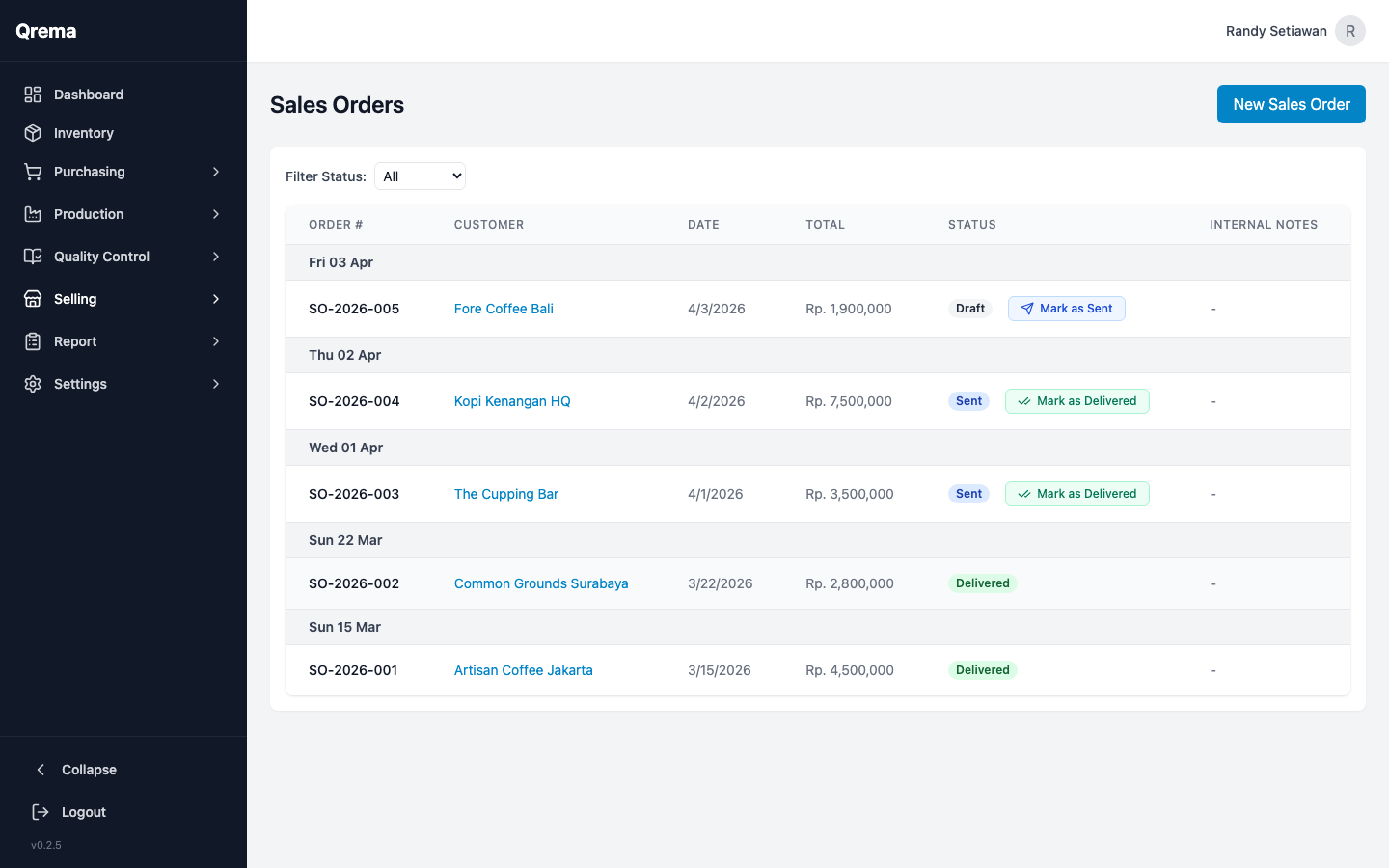
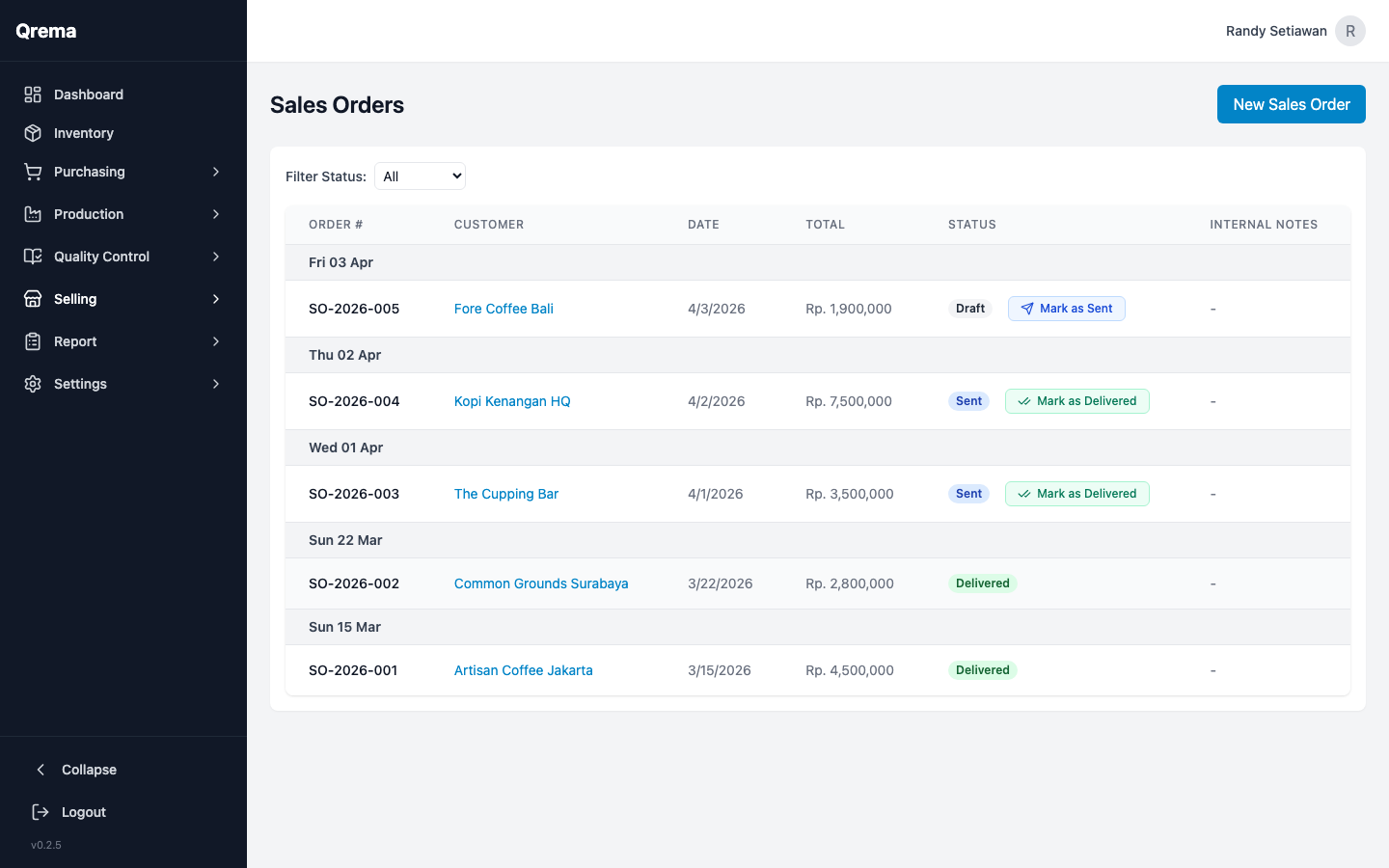
The Sales Order list shows all customer orders with their status, amounts, and delivery information.
Columns
| Column | Description |
|---|---|
| SO Number | Unique sales order identifier |
| Customer | The customer who placed the order |
| Order Date | When the order was created |
| Status | Draft, Sent, Delivered, Cancelled |
| Total Amount | Total value of the order |
| Items | Number of line items |
Sales Order Status Flow
A sales order can also be Cancelled from any status before Delivered.
Status Definitions:
- Draft -- Order created but not yet confirmed. Does not affect inventory.
- Sent -- Order confirmed and shipped to the customer. Inventory is deducted.
- Delivered -- Customer has received the order. Final status.
- Cancelled -- Order was cancelled. Inventory is restored if previously deducted.
Creating a Sales Order
Click "+ Create Sales Order" to start a new order.
Required fields:
- Customer -- Select from your Customer Master list
- Order Date -- The date of the order
- Line Items -- Add roasted coffee products with quantity and unit price
Each line item includes:
- Product -- Select from your roasted coffee inventory
- Quantity -- Amount to sell (kg, bags, etc.)
- Unit Price -- Selling price per unit
- Total -- Auto-calculated
Tip: The system checks available stock when adding line items. If a product doesn't have enough stock, you'll see a warning before saving.
Sales Order Detail View
Click any sales order to view its full details -- line items, customer info, status history, and totals.
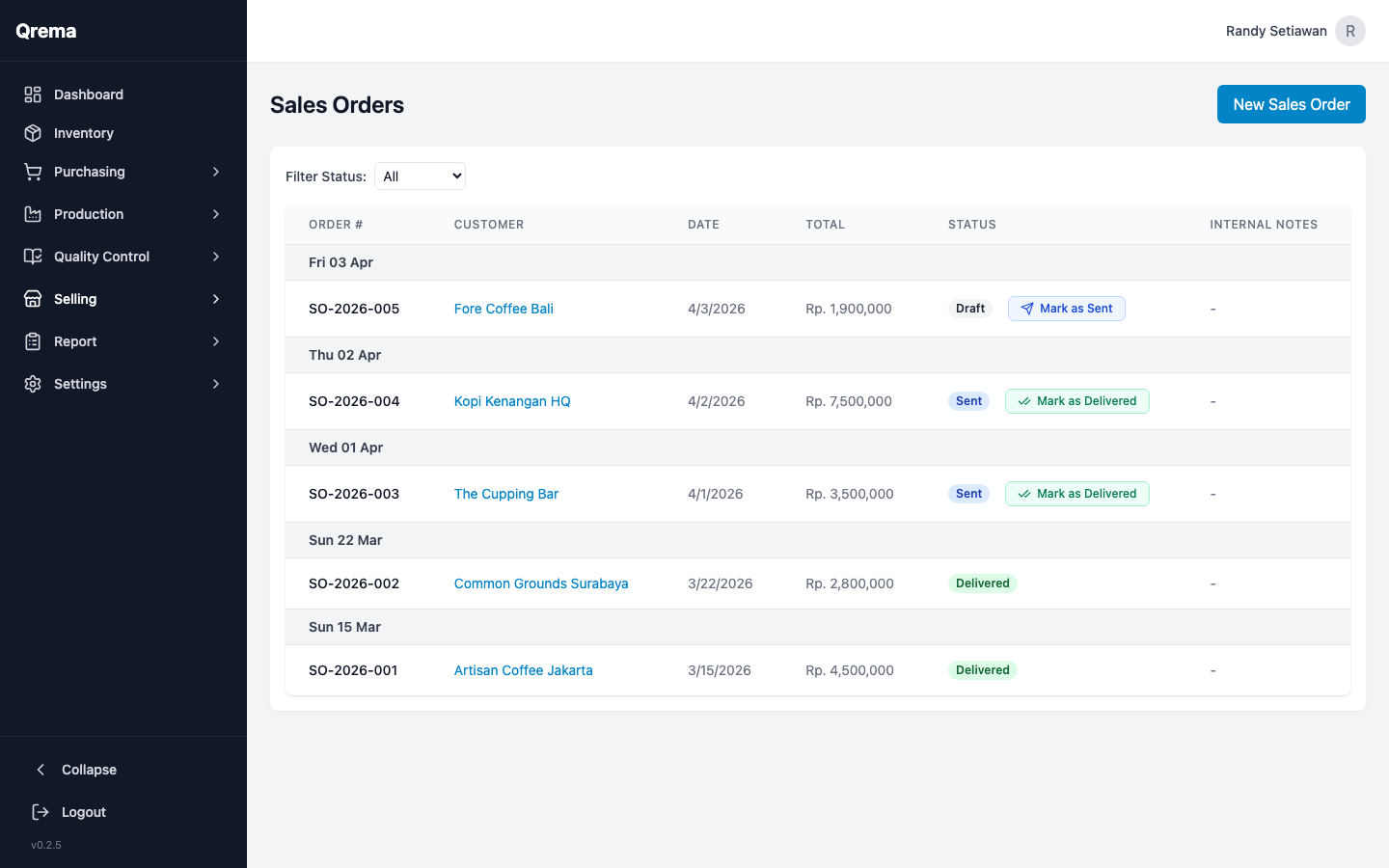
From the detail view you can:
- Edit the order (while in Draft status)
- Change status -- advance from Draft to Sent, Sent to Delivered
- Cancel the order
- View customer profile link
Sales Order Tracking
The sales order list includes real-time tracking status so you can monitor the progress of all outbound orders at a glance.
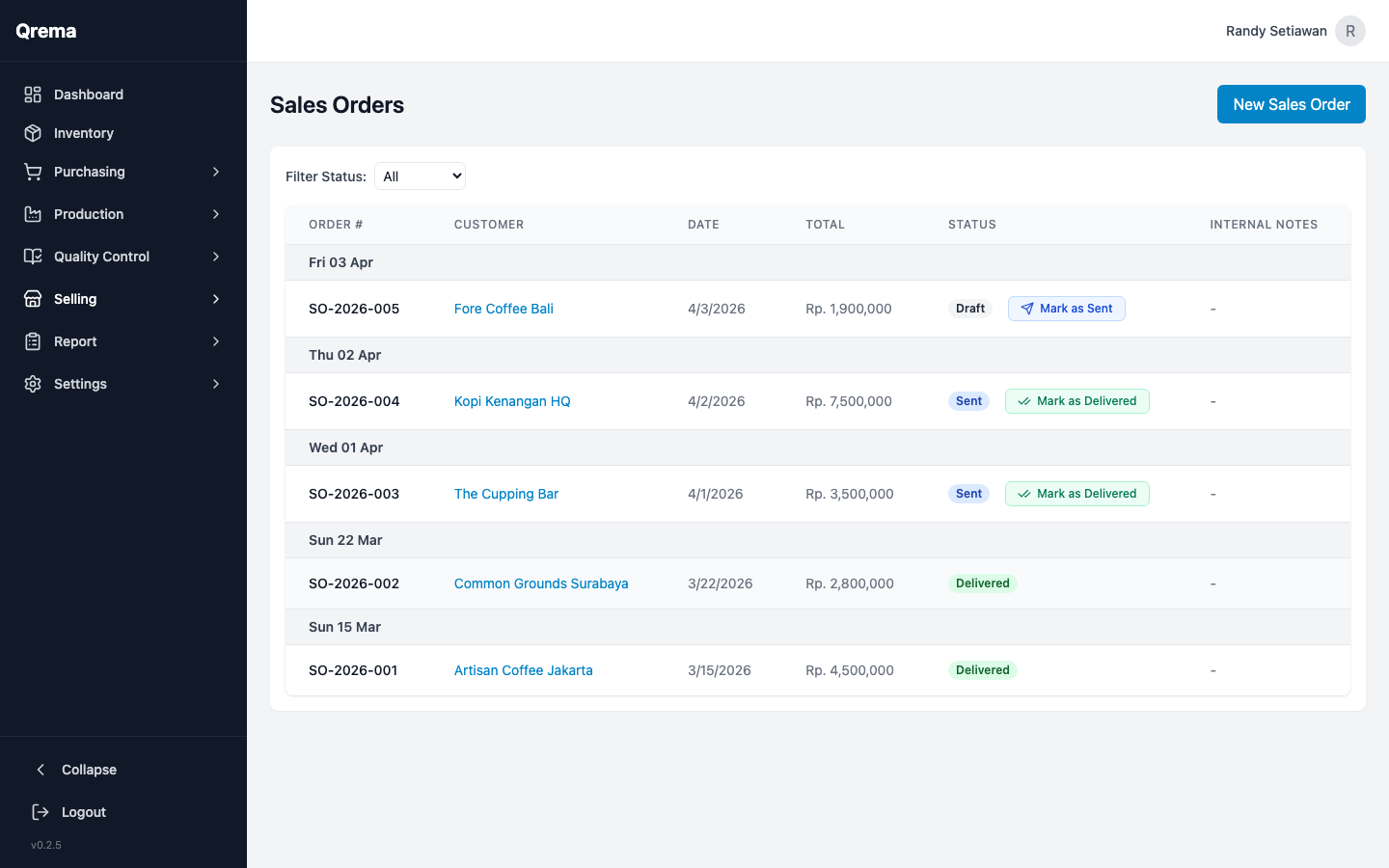
Use the search bar and status filters to quickly find specific orders.
Customer Master
Manage your customer database -- cafes, retailers, wholesalers, and direct consumers.
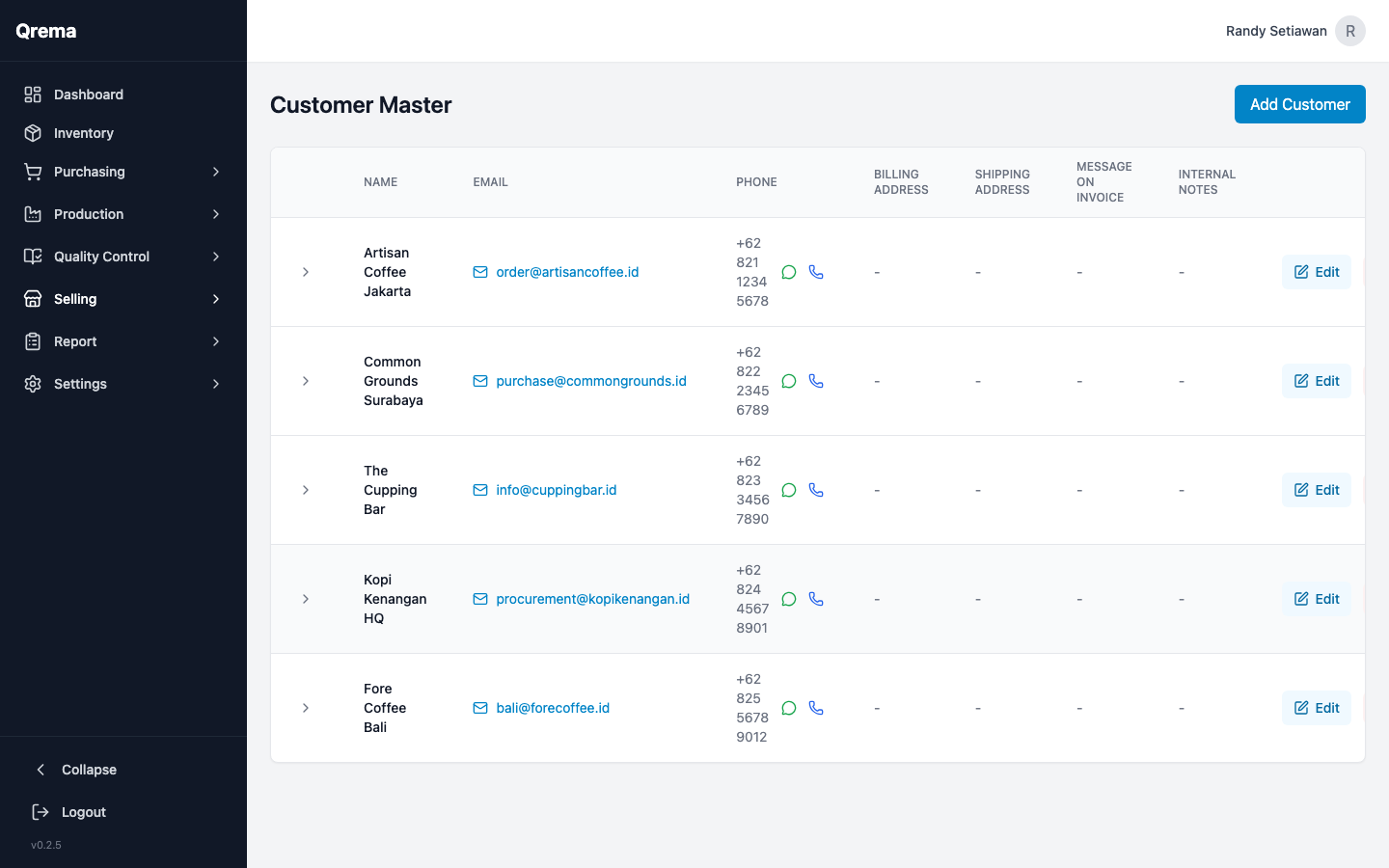
Customer Fields
- Customer Name -- Business or individual name
- Contact Person -- Primary contact
- Email / Phone -- Contact information
- Address -- Shipping/billing address
- Notes -- Internal notes (preferences, payment terms, etc.)
Video Walkthrough
Sales workflow -- creating orders, managing customers, and tracking deliveries