Quality Control
Evaluate your roasted coffee through structured cupping sessions. Score aroma, flavor, acidity, body, and other attributes using industry-standard methodology.
Cupping Session List
The cupping session list shows all evaluation sessions with their dates, scores, and status.
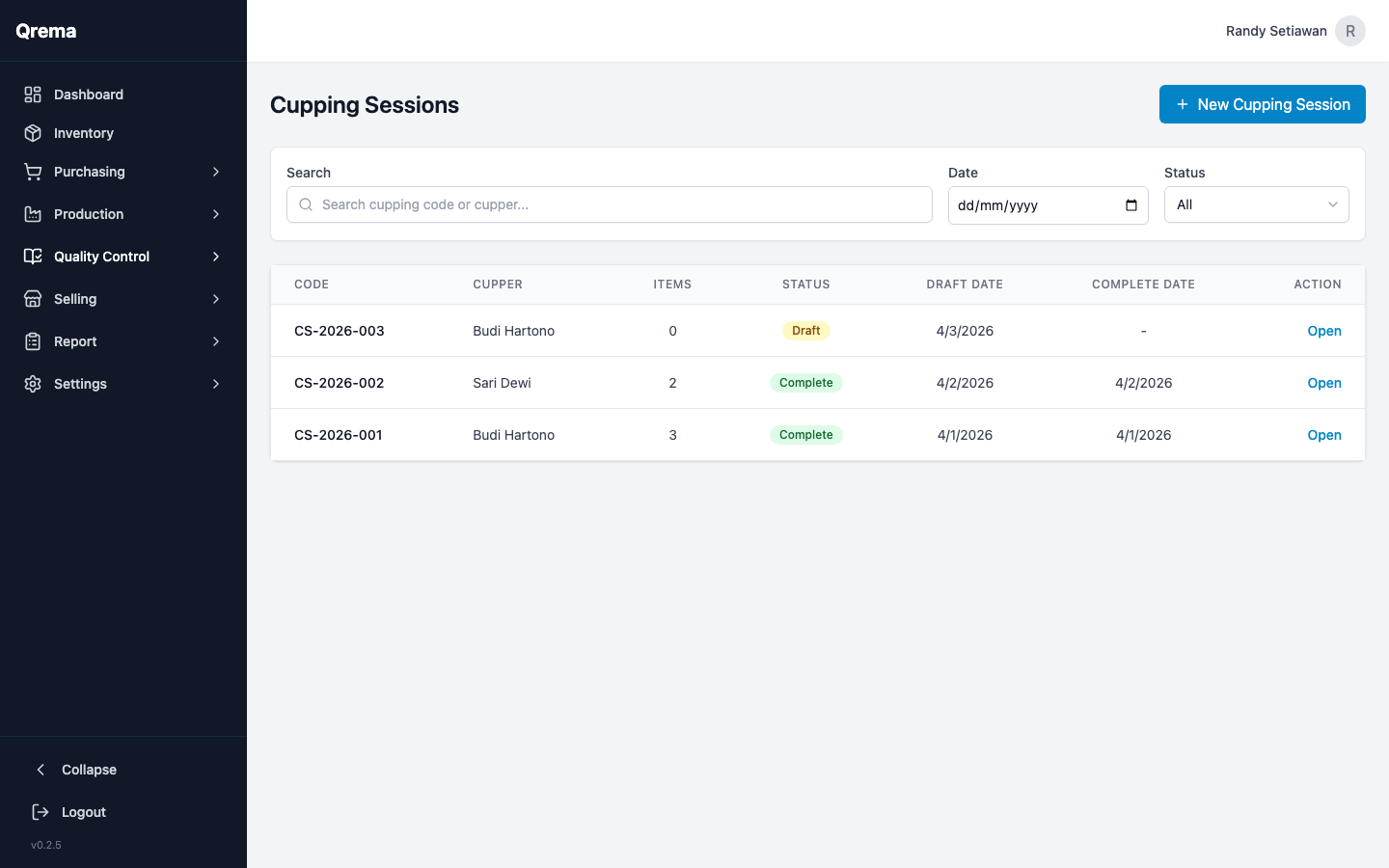
| Column | Description |
|---|---|
| Session Name | Descriptive name for the session |
| Date | When the cupping took place |
| Samples | Number of coffee samples evaluated |
| Average Score | The overall average score across all samples |
| Status | Draft, In Progress, Completed |
Creating a Cupping Session
Click "+ New Cupping Session" to start a new cupping evaluation.
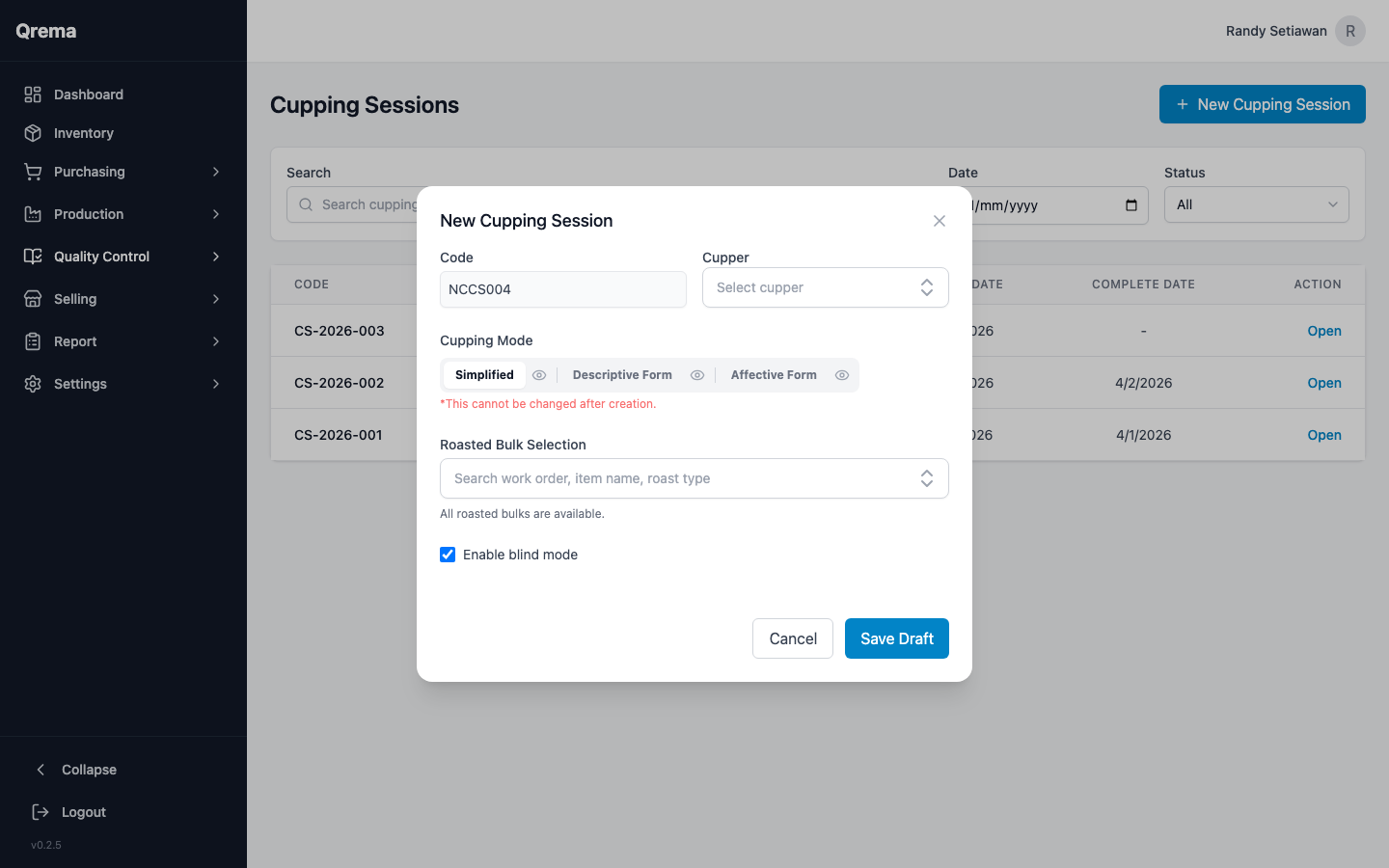
Session Setup
- Code -- Auto-generated session code (e.g., "CS-2026-004")
- Cupper -- Select the person performing the cupping evaluation
- Cupping Mode -- Choose between Simplified, Descriptive Form, or Affective Form (SCA). This cannot be changed after creation.
- Roasted Bulk Selection -- Select at least 2 roasted coffee batches to evaluate
- Blind Mode -- Optional: enable blind cupping with randomized codes
Scoring Attributes
Each sample in a cupping session is scored on the following attributes (based on SCA cupping protocol):
| Attribute | Description | Score Range |
|---|---|---|
| Fragrance/Aroma | Smell of dry grounds and wet aroma | 6.0 - 10.0 |
| Flavor | Overall taste impression | 6.0 - 10.0 |
| Aftertaste | Length and quality of finish | 6.0 - 10.0 |
| Acidity | Brightness and quality of acidity | 6.0 - 10.0 |
| Body | Mouthfeel and texture | 6.0 - 10.0 |
| Balance | How well components integrate | 6.0 - 10.0 |
| Uniformity | Consistency across cups | 6.0 - 10.0 |
| Clean Cup | Absence of defects | 6.0 - 10.0 |
| Sweetness | Perceived sweetness | 6.0 - 10.0 |
| Overall | Cupper's holistic impression | 6.0 - 10.0 |
Score Interpretation
| Total Score | Quality |
|---|---|
| 90+ | Outstanding / Specialty Grade |
| 85-89 | Excellent |
| 80-84 | Very Good |
| 75-79 | Good |
| Below 75 | Below Specialty Grade |
Tip: Add tasting notes in the comments field for each sample. These notes are valuable for building your coffee knowledge base and communicating with customers about flavor profiles.
Session Detail
Click "Open" on any session to view its full evaluation details, including individual sample scores and notes.
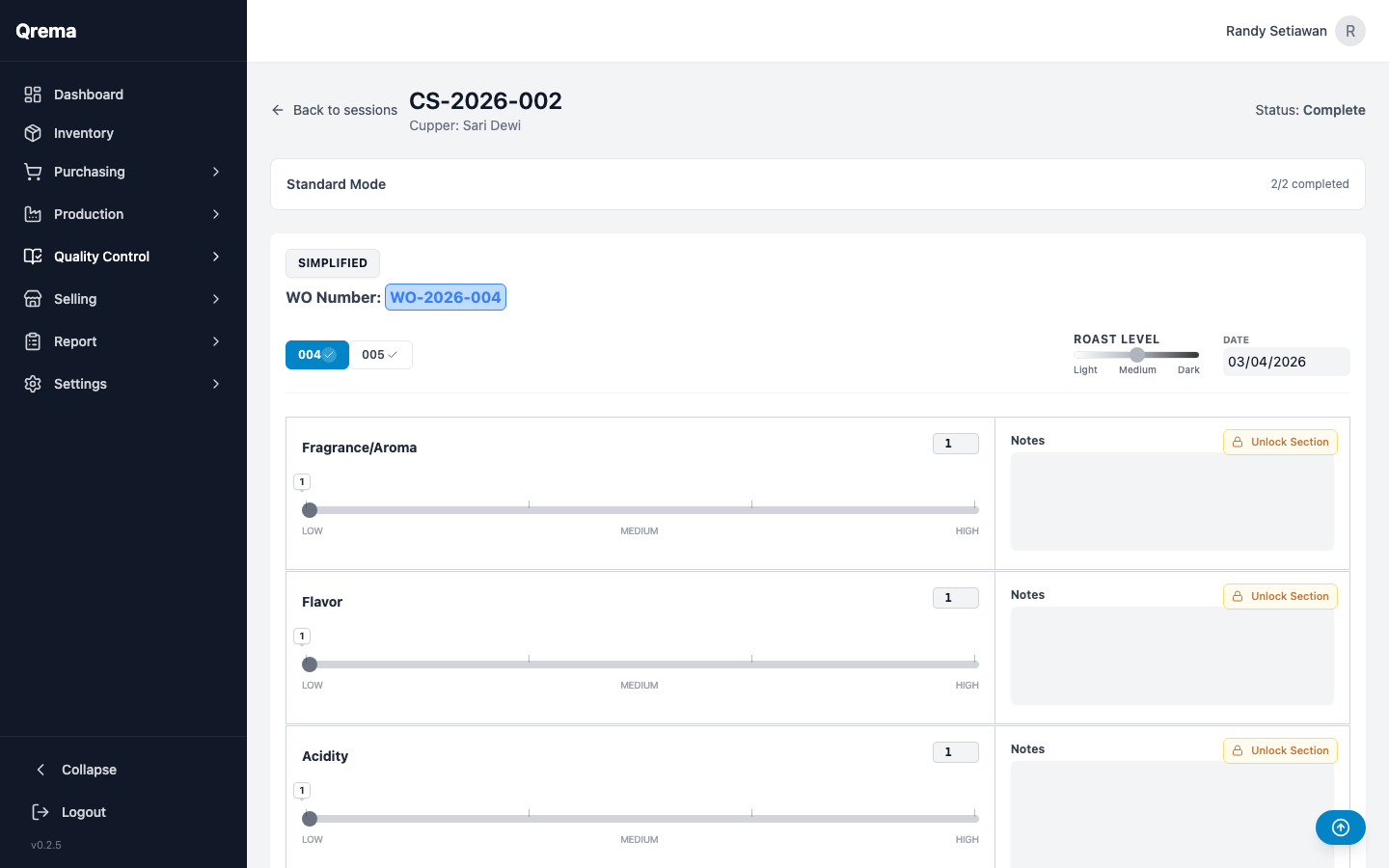
From the detail view you can:
- Score each sample using sliders for each attribute (Fragrance/Aroma, Flavor, Acidity, Body, etc.)
- Add tasting notes for each attribute
- Switch between samples using the tab navigation at the top
- Complete the session to finalize and lock all scores
Video Walkthrough
Cupping session -- creating a session, scoring samples, and reviewing results