Welcome to Qrema
Your complete coffee roastery ERP system. This guide walks you through every module -- from managing green bean inventory to roasting, cupping, and fulfilling sales orders.
User Guide for Roastery TeamsLogging In
Navigate to your Qrema URL to access the login page.
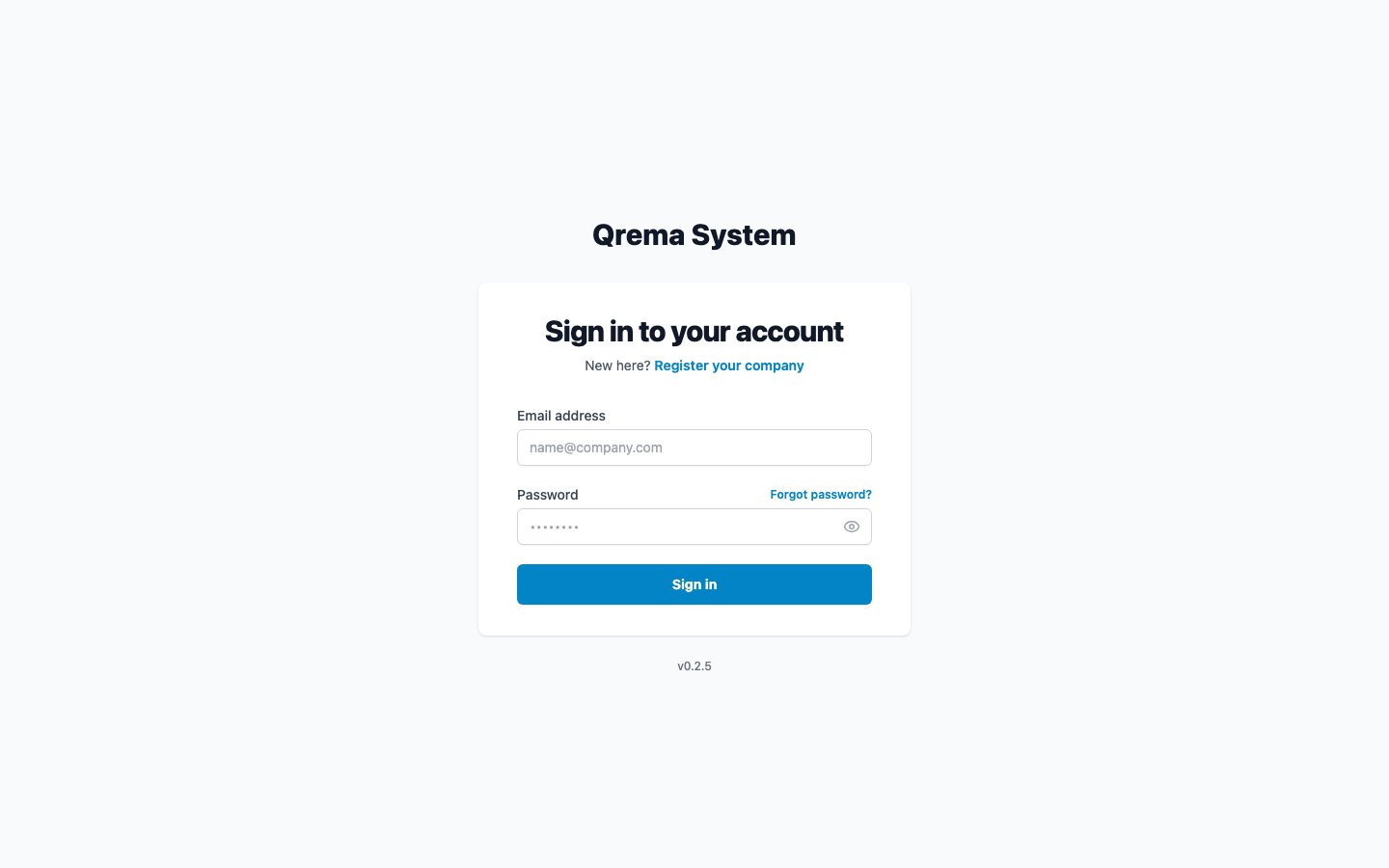
Enter your registered email address and password, then click "Sign In".
Tip: Click "Forgot Password?" to reset your password via email. You will receive an OTP code to verify your identity.
New User? If you don't have an account, click "Register" to create one. You'll need to verify your email with an OTP code before accessing the system.
Navigation Sidebar
After logging in, the left sidebar is your primary navigation. It can be collapsed for more workspace.
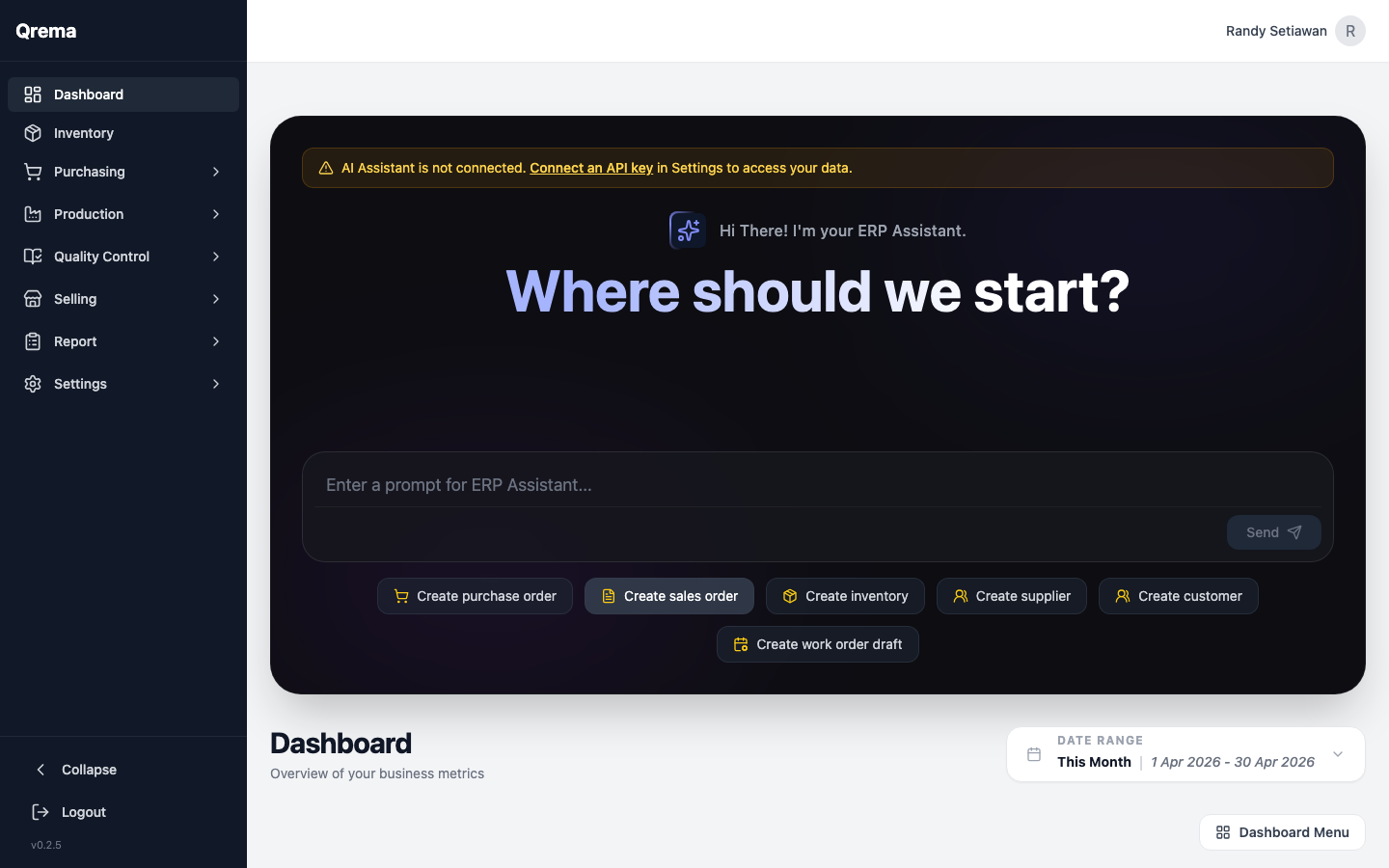
| Module | What It Does |
|---|---|
| Dashboard | Overview metrics -- inventory levels, recent orders, production stats |
| Inventory | Manage all inventory items -- green beans, roasted coffee, packaging, supplies |
| Purchasing | Purchase orders, supplier management, lot tracking, sample management |
| Production | Work orders, roast profiles (master profiles), Artisan sync, machines, roasters |
| Quality Control | Cupping sessions -- score and evaluate roasted coffee batches |
| Selling | Sales orders and customer management |
| Report | General reports and shift (open/close) reports |
| Settings | General settings, team members, billing & usage |
Dashboard
The Dashboard is your operational overview -- a snapshot of key metrics across inventory, production, and sales.
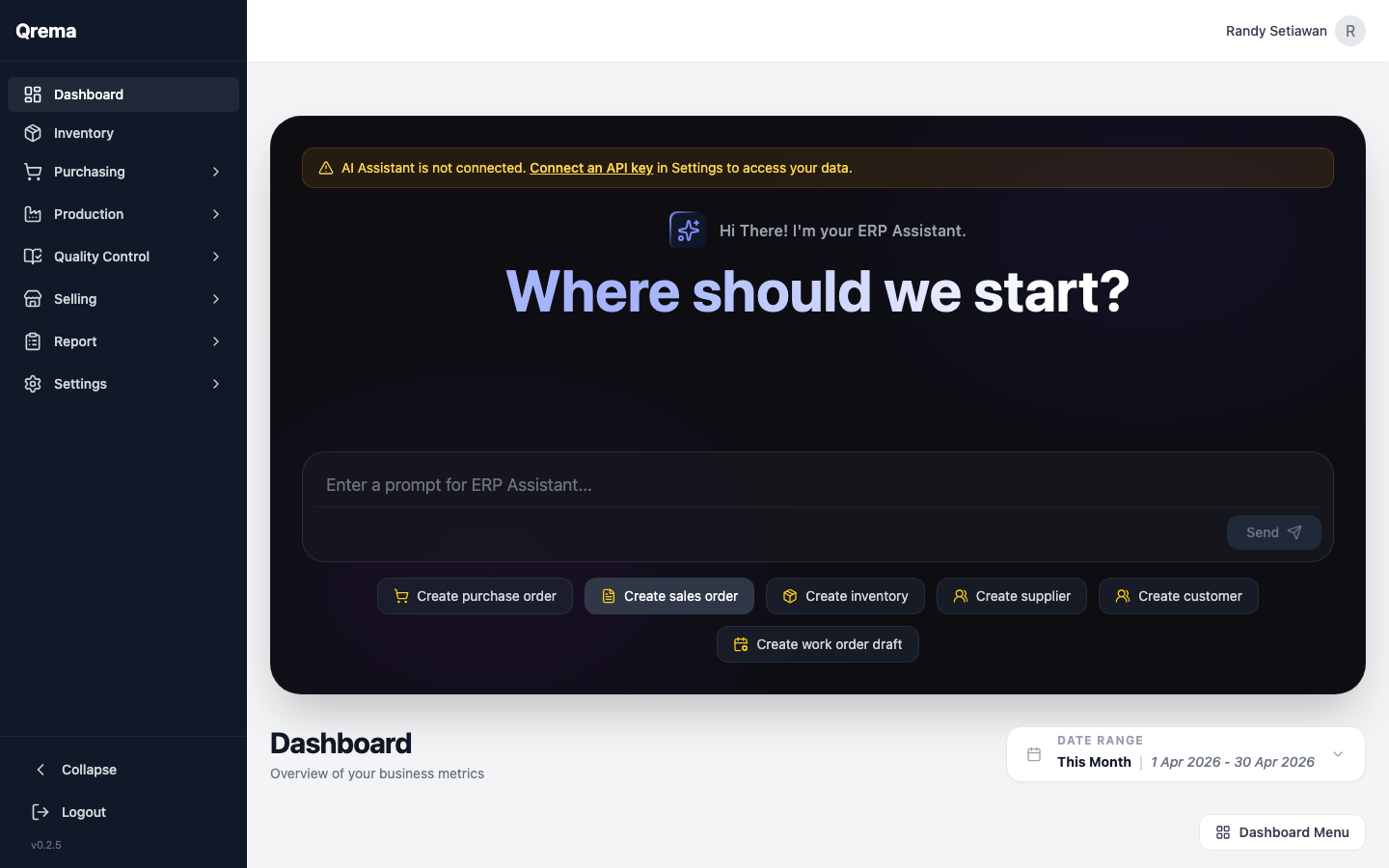
Metrics, charts, and quick-access links
Inventory Management
Access Inventory from the sidebar to manage all your items -- green beans, roasted coffee, packaging materials, and supplies.
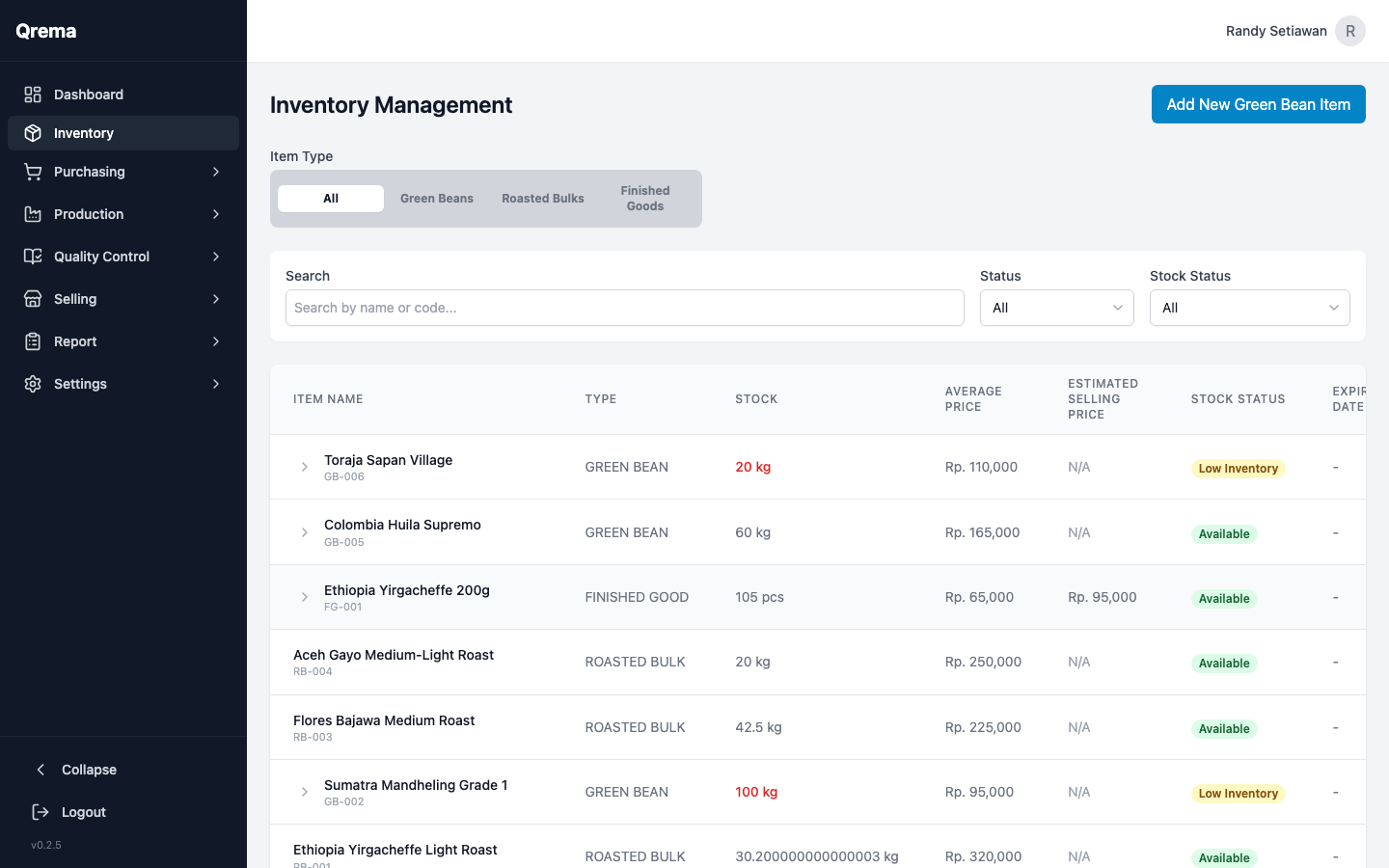
- Item name, SKU, and category
- Current stock level with unit of measure
- Cost tracking (COGS)
- Reorder point alerts
- Create / Edit items with full detail forms
Creating items, stock management, categories, and cost tracking
Purchasing
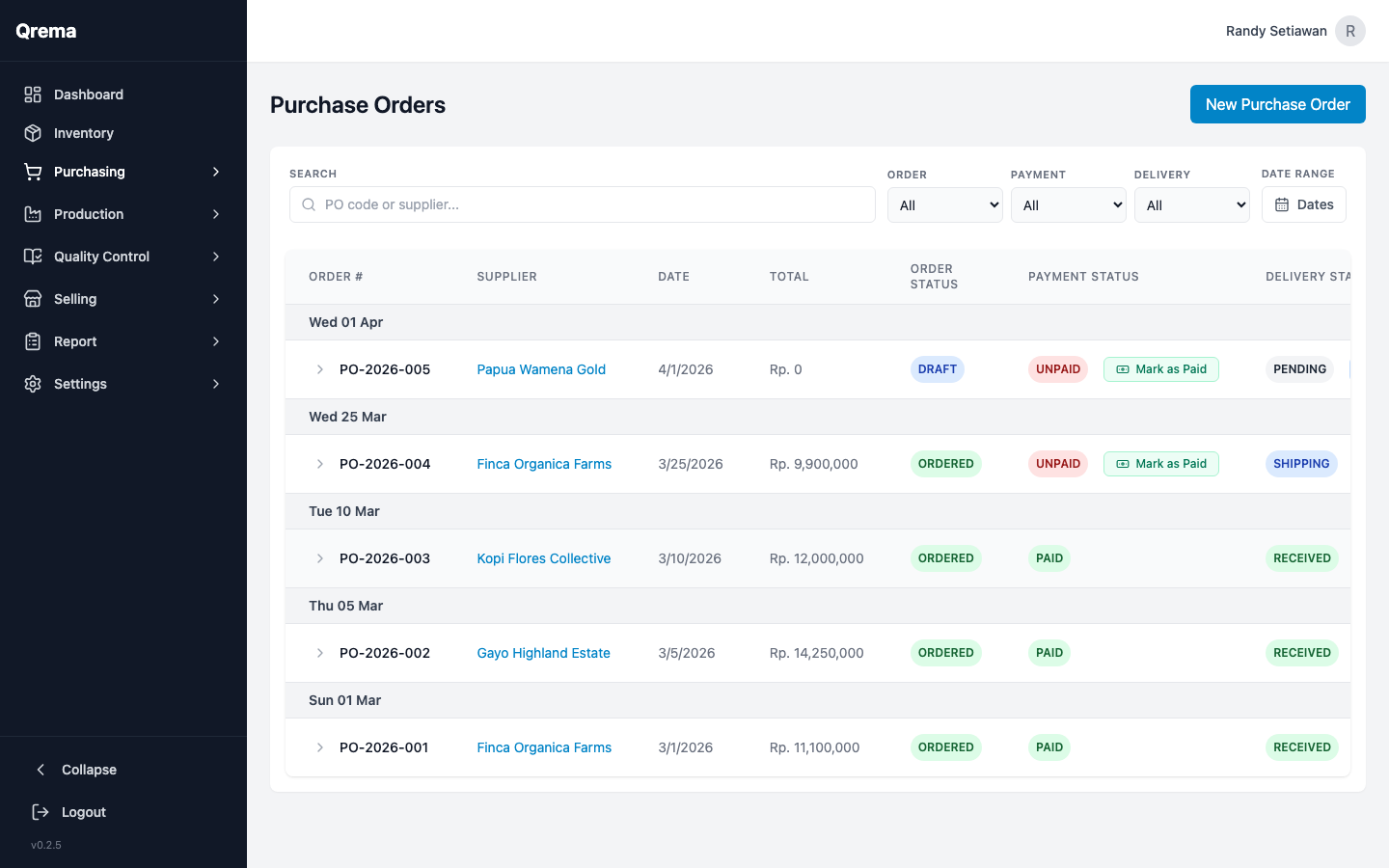
The Purchasing module handles the full green bean procurement workflow -- from supplier management to purchase orders, lot tracking, and sample evaluation.
| Sub-module | Purpose |
|---|---|
| Purchase Orders | Create and track orders to suppliers |
| Supplier Master | Manage supplier contacts and details |
| Lot List | Track individual lots of green beans received |
| Sample List | Manage pre-purchase samples for evaluation |
Read the full Purchasing guide
Purchase orders, suppliers, lots, and samples
Production
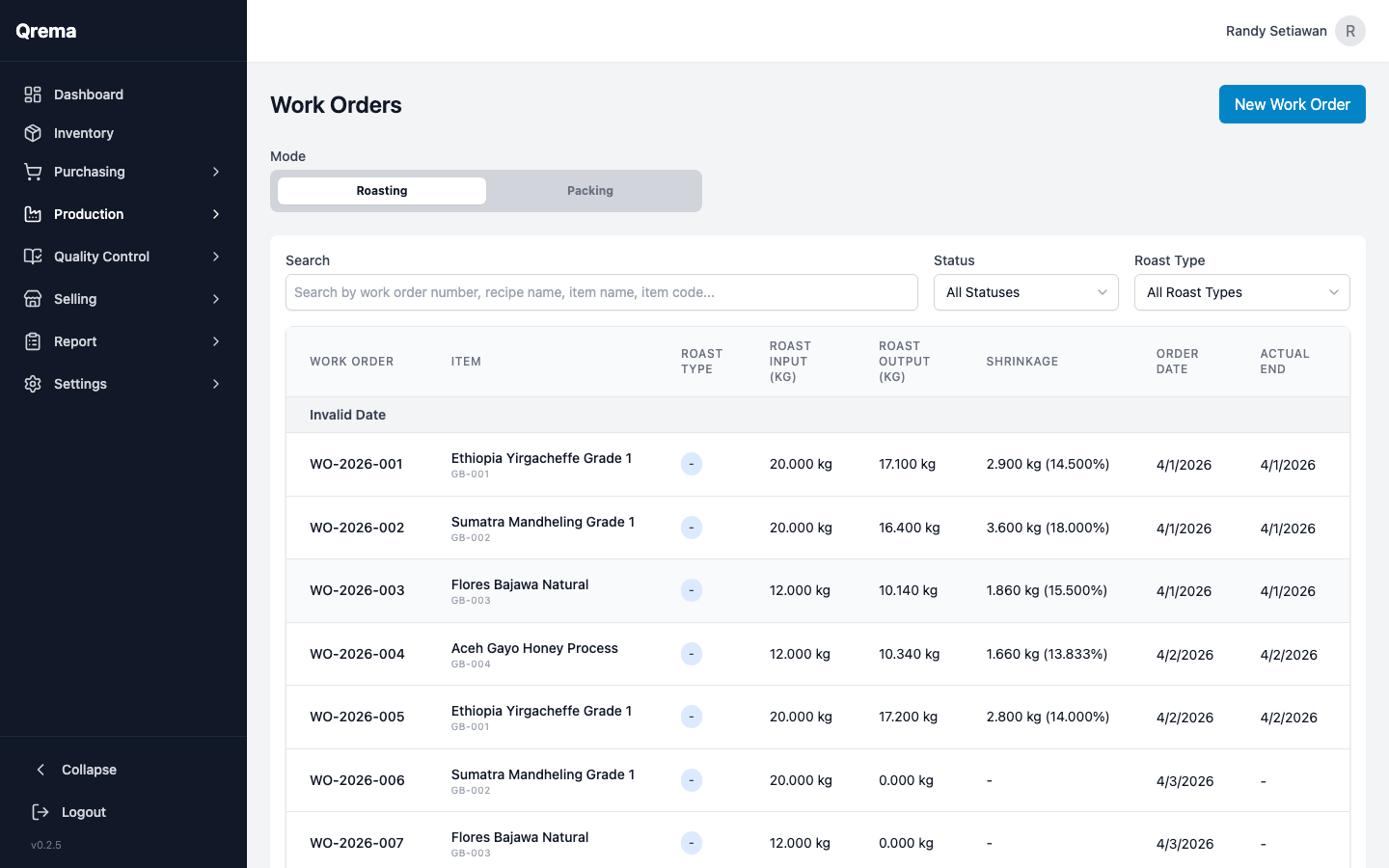
The Production module is where green beans become roasted coffee. Manage work orders, roast profiles, machines, and sync with Artisan roasting software.
| Sub-module | Purpose |
|---|---|
| Work Orders | Schedule and track roasting batches |
| Master Profile | Define and manage roast profiles (recipes) |
| Artisan Sync | Import roast data from Artisan software |
| Roasting Machine | Manage roasting machine inventory |
| Roast Master | Manage roaster (person) profiles |
Read the full Production guide
Work orders, roast profiles, Artisan sync, and machine management
Quality Control
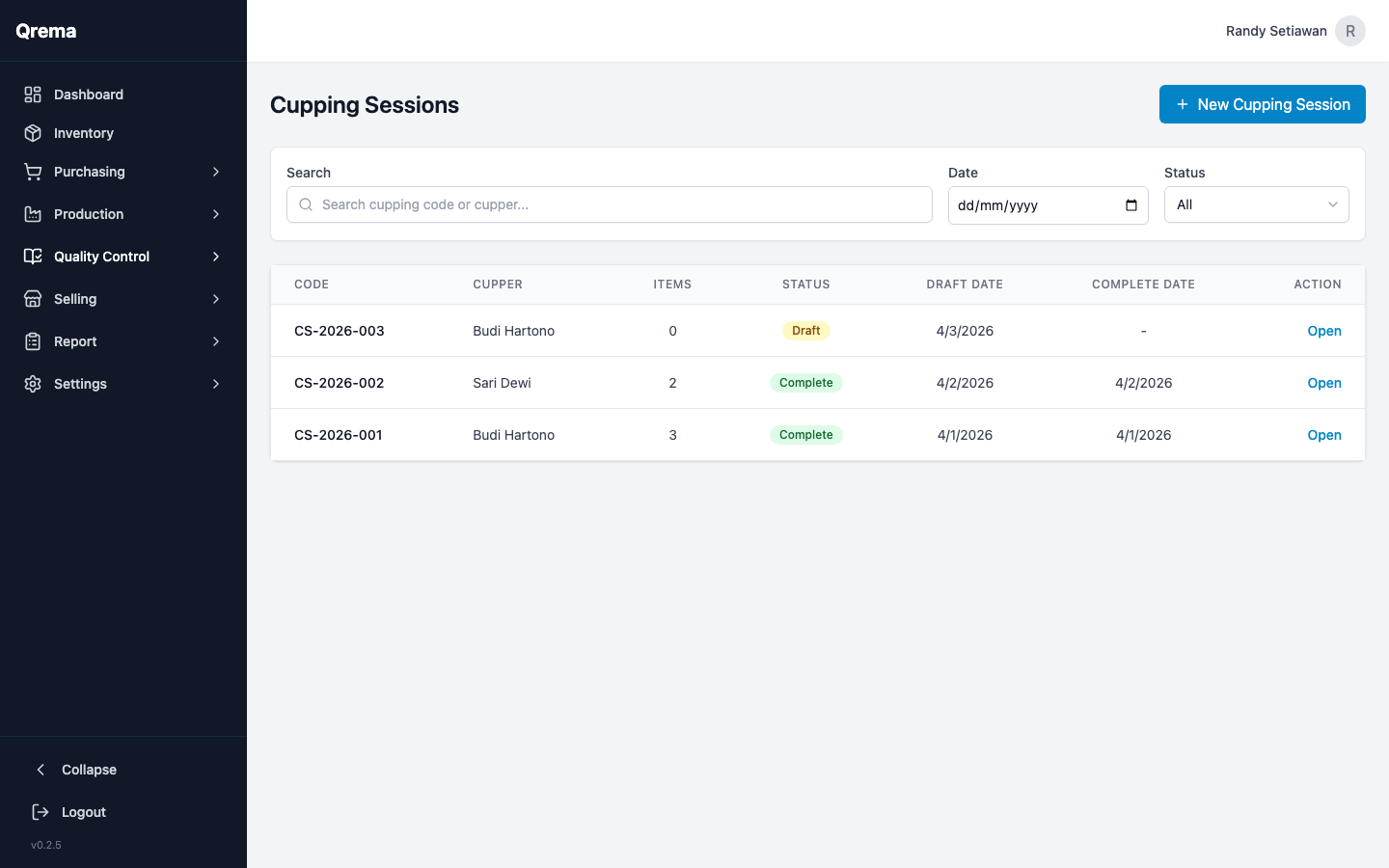
Evaluate your roasted coffee through structured cupping sessions using industry-standard scoring.
Read the full Quality Control guide
Creating cupping sessions, scoring, and evaluating roast quality
Selling
Manage your sales orders and customer database to track outbound shipments and revenue.
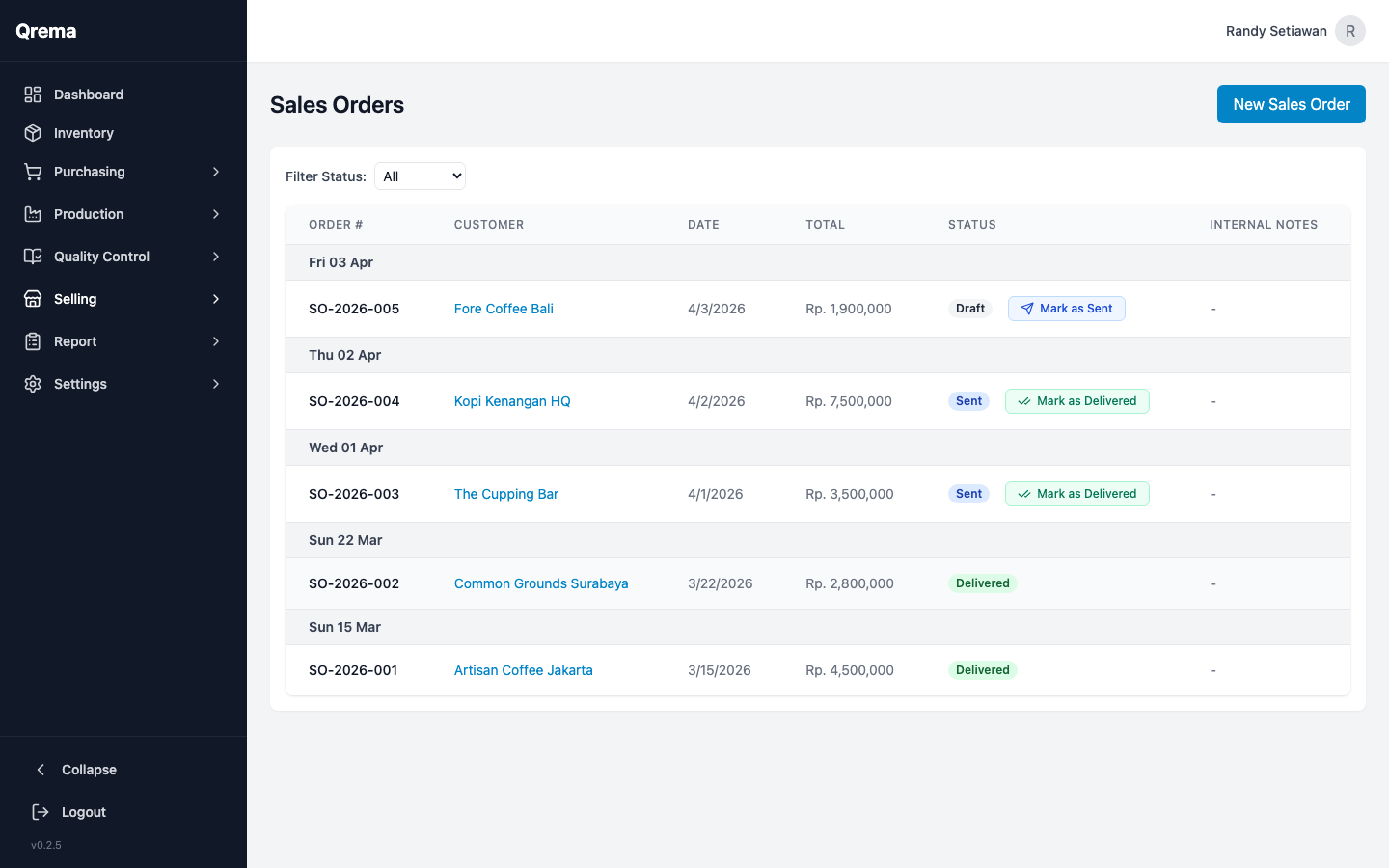
Sales orders, customers, and order lifecycle
Reports
Access business intelligence through General Reports and Shift Reports (open/close).
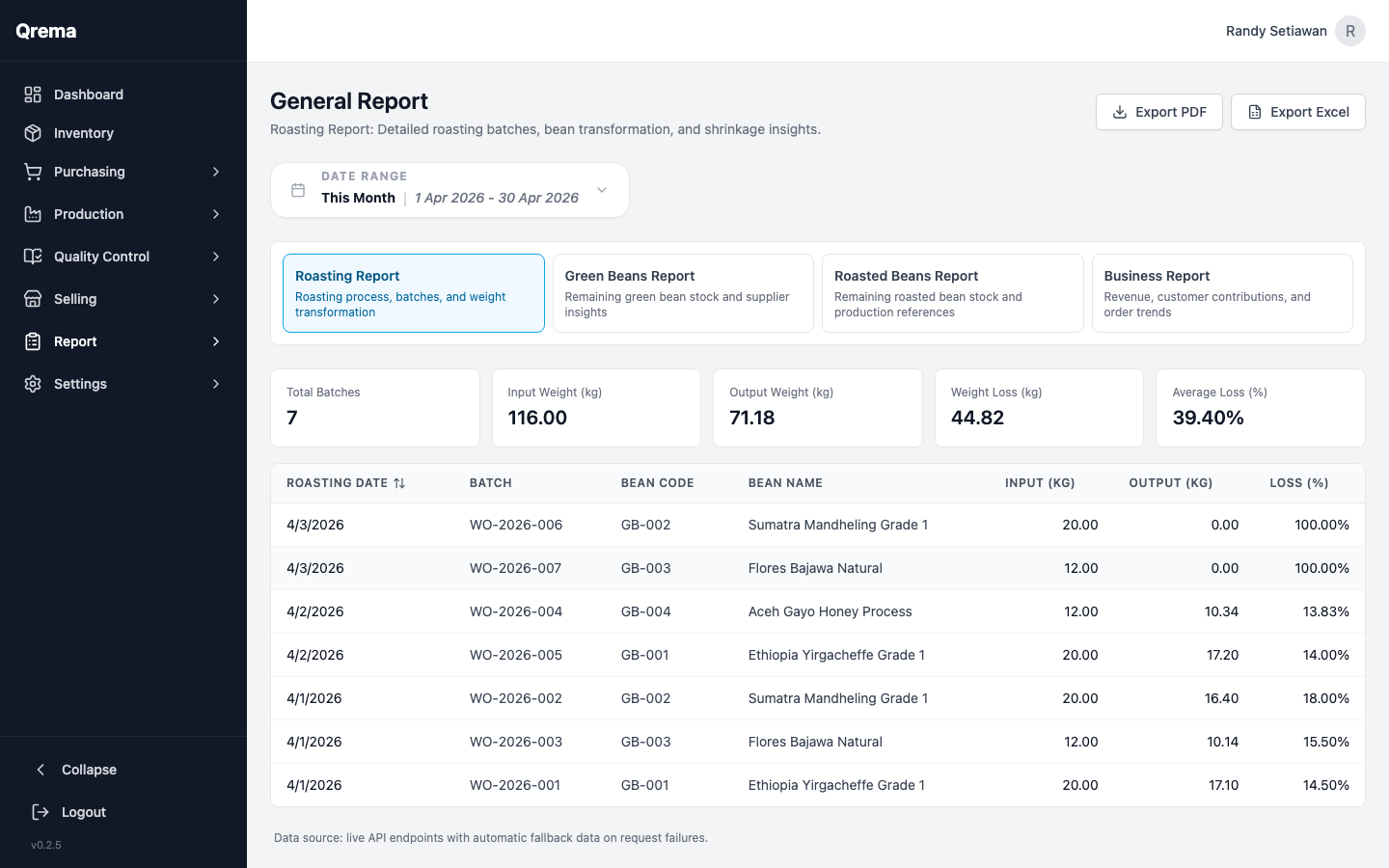
General reports, shift reports, and data exports
Settings
Configure your Qrema workspace -- general preferences, team members, and billing.
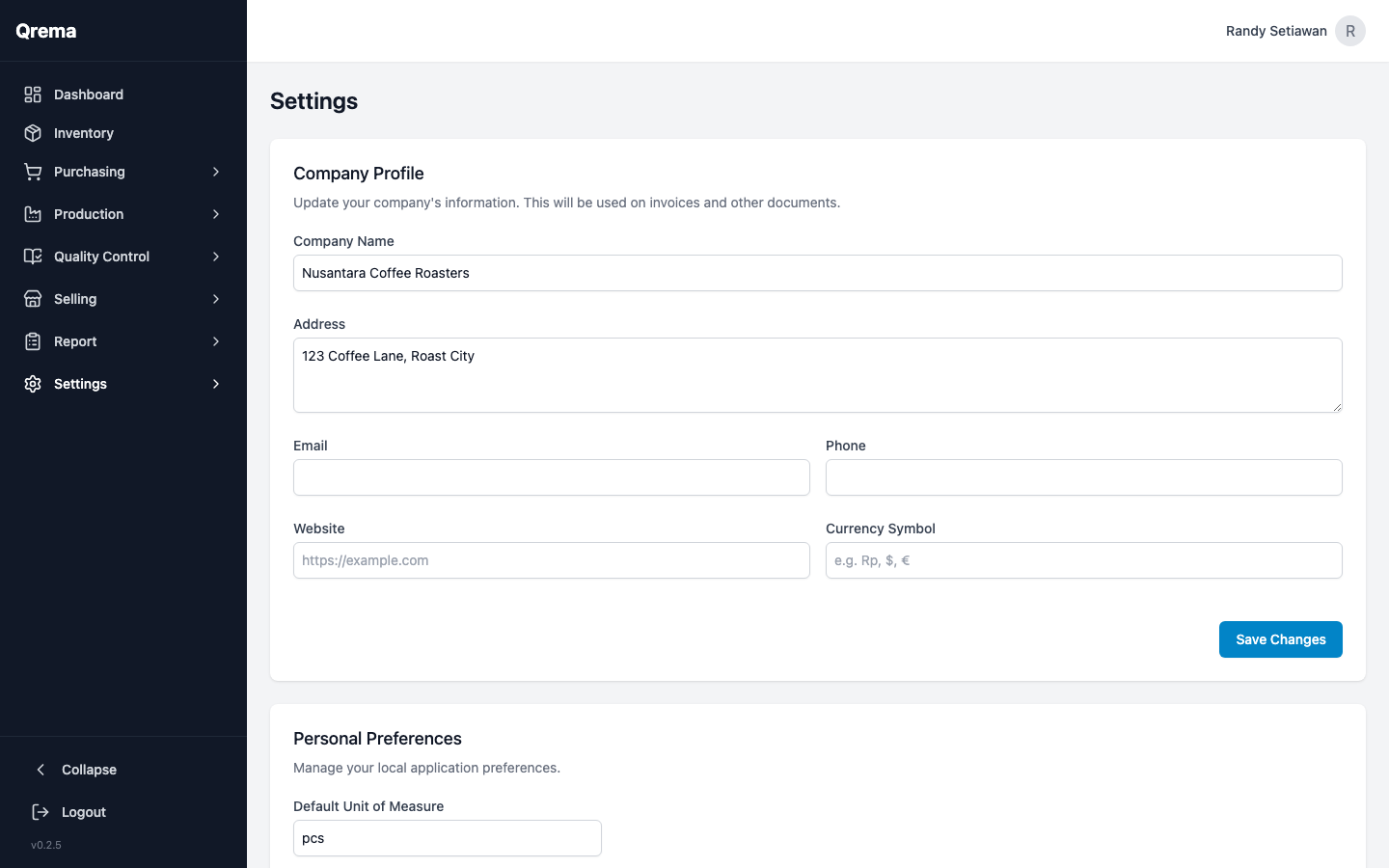
First-Time Setup Checklist:
- Configure general settings (company name, timezone, currency)
- Add inventory items (green beans, packaging, supplies)
- Set up suppliers in the Purchasing module
- Add roasting machines and roast masters
- Create roast profiles (master profiles)
- Add customers in the Selling module
- Invite team members in Settings > Member
General settings, team members, and billing
Explore All Modules
Dashboard
Key metrics, inventory levels, production and sales overview.
Inventory
Items, stock levels, categories, cost tracking, reorder alerts.
Purchasing
Purchase orders, suppliers, lots, and sample management.
Production
Work orders, roast profiles, Artisan sync, machines, roasters.
Quality Control
Cupping sessions, scoring, roast quality evaluation.
Selling
Sales orders, customer management, order fulfillment.
Reports
General reports, shift reports, business analytics.
Settings
Workspace config, team members, billing & usage.
FAQ
Common questions and troubleshooting.
Qrema User Guide -- Screenshots from production environment