Purchasing
The Purchasing module manages your green bean procurement pipeline -- from creating purchase orders to tracking received lots and evaluating pre-purchase samples.
Purchase Orders
Purchase Order List
The Purchase Order list shows all orders with their current status, supplier, and financial details.
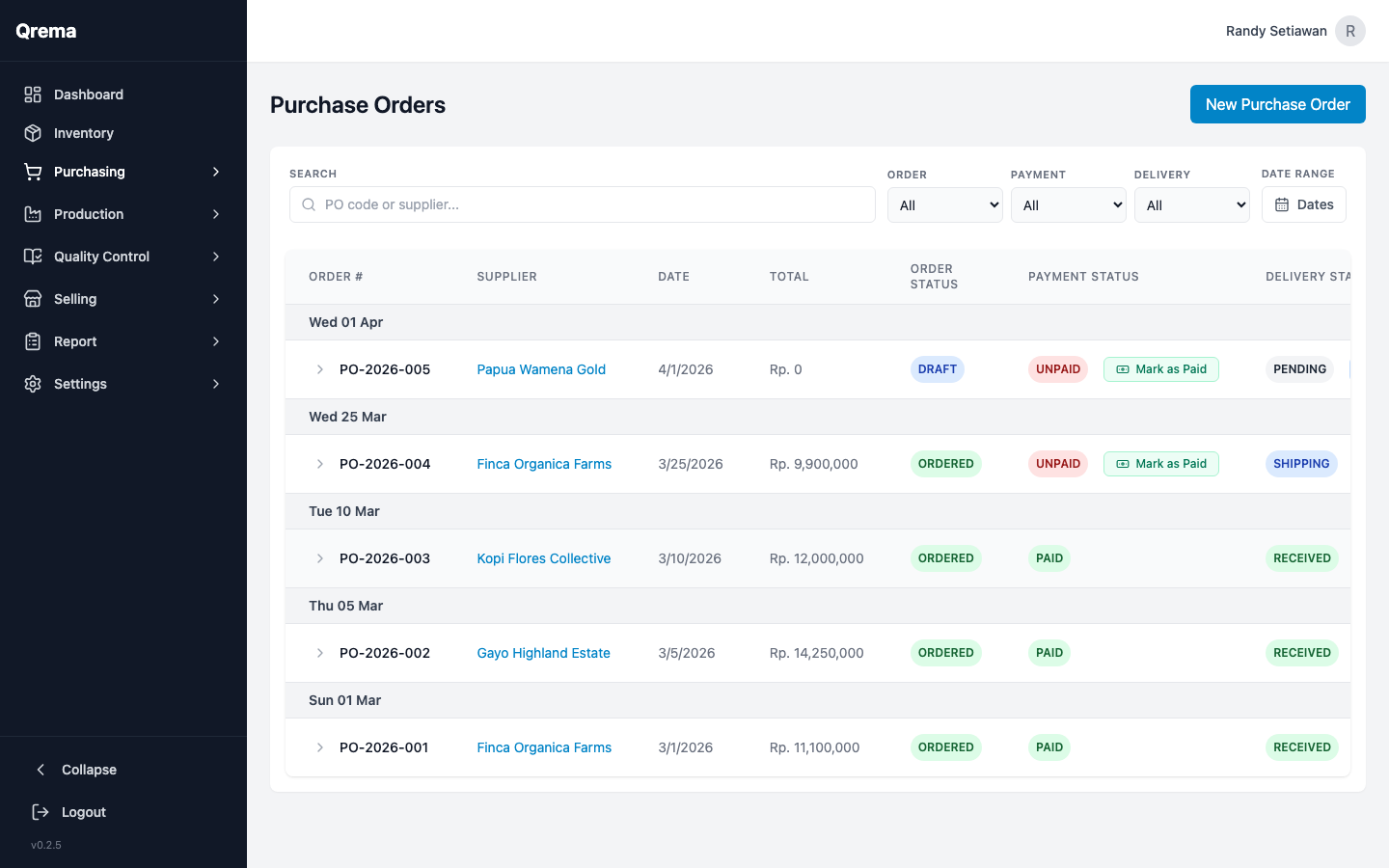
| Column | Description |
|---|---|
| PO Number | Unique purchase order identifier |
| Supplier | The supplier the order was placed with |
| Order Date | When the order was created |
| Status | Draft, Sent, Received, Cancelled |
| Total Amount | The total cost of the order |
| Items | Number of line items in the order |
Creating a Purchase Order
Click "+ Create Purchase Order" to start a new order.
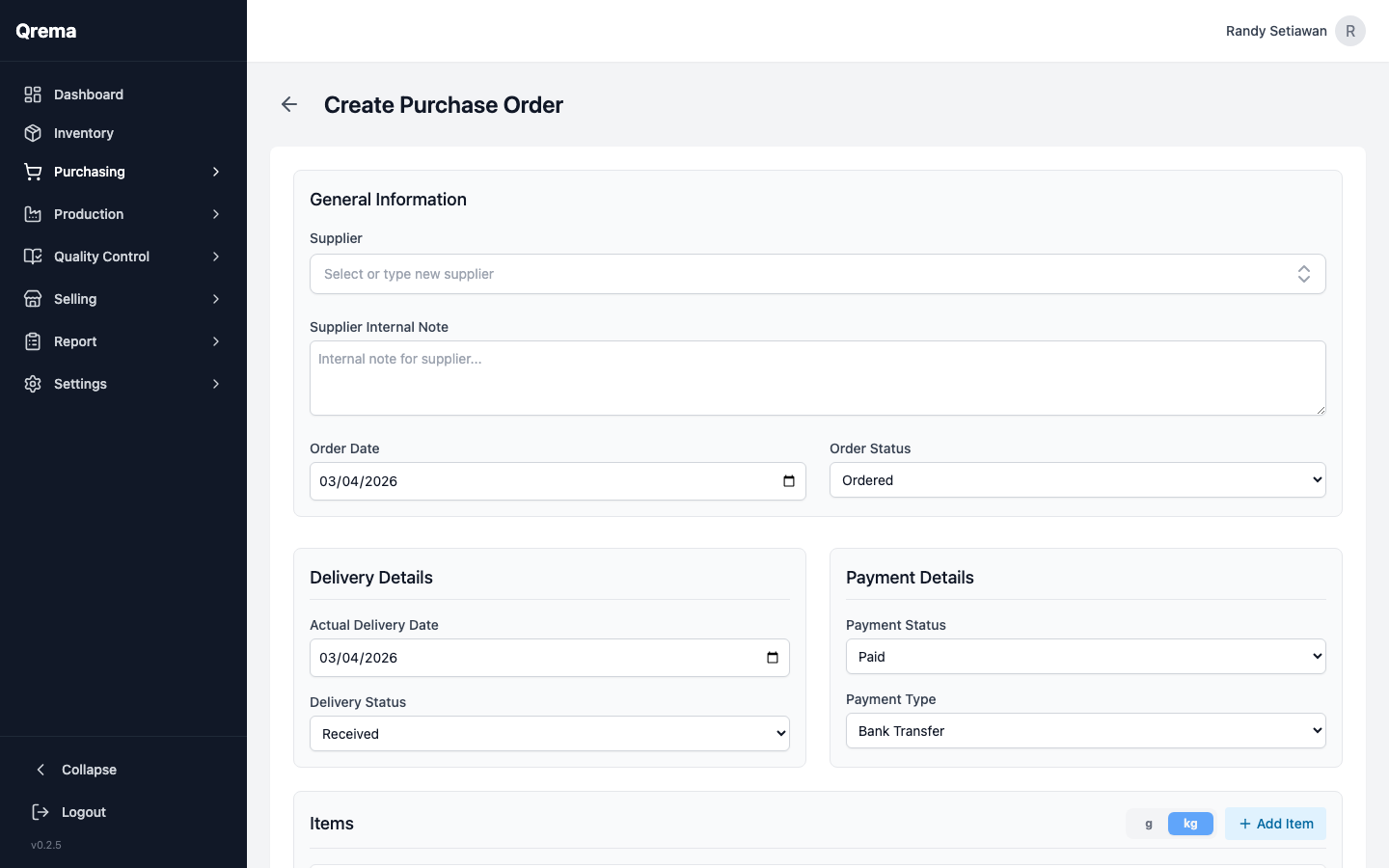
Required fields:
- Supplier -- Select from your Supplier Master list
- Order Date -- The date the order is placed
- Line Items -- Add one or more items with quantity and unit price
Each line item includes:
- Inventory Item -- Select the green bean or supply to order
- Quantity -- Amount to order
- Unit Price -- Price per unit
- Total -- Auto-calculated (quantity x unit price)
Purchase Order Status Flow
Tip: Keep orders in Draft until you're ready to send them to the supplier. Drafts do not affect inventory or financial reports.
Supplier Master
Manage your green bean suppliers and vendors.
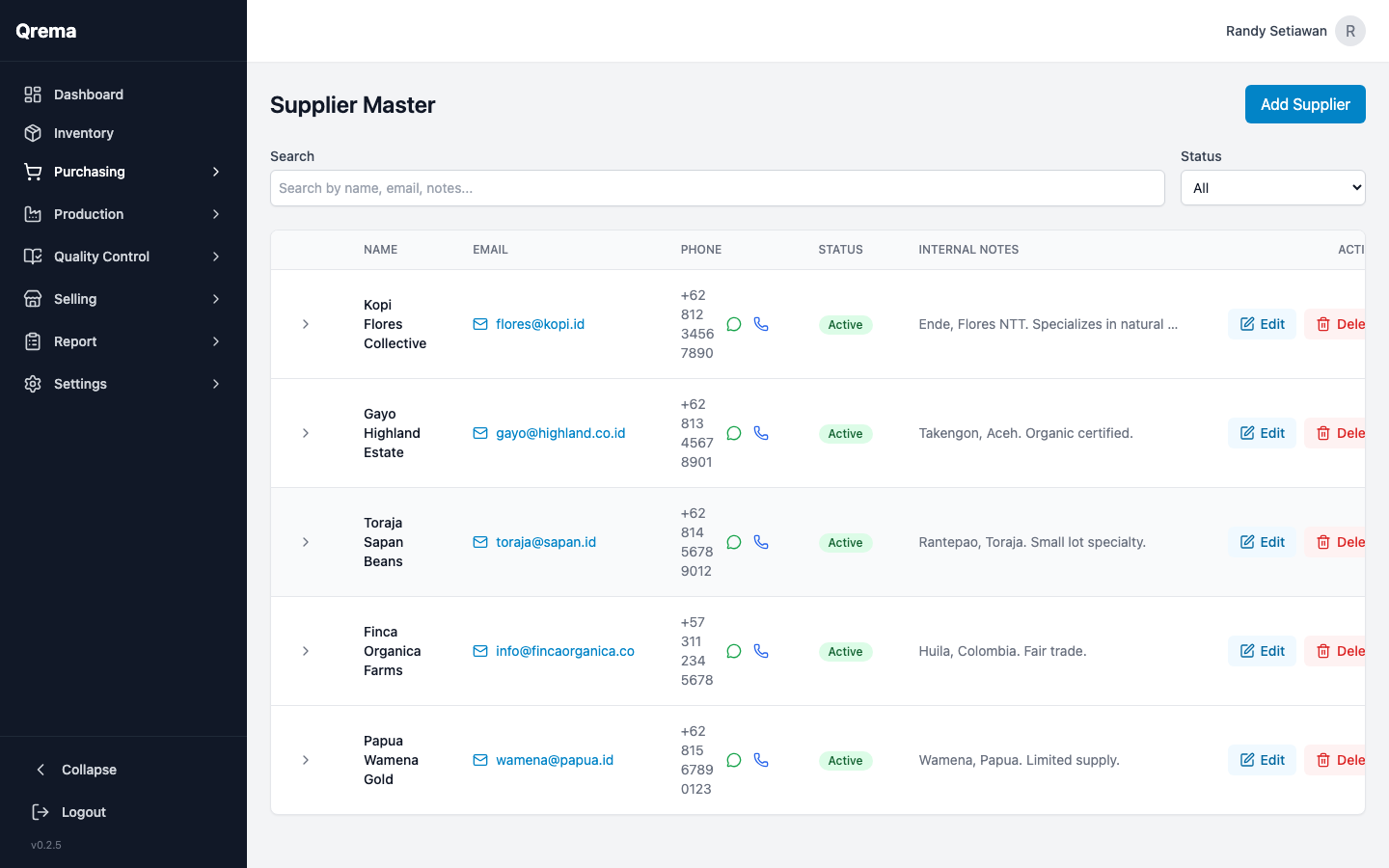
Supplier Fields
- Supplier Name -- Company or individual name
- Contact Person -- Primary point of contact
- Email / Phone -- Contact information
- Address -- Business address
- Notes -- Internal notes about the supplier
Tip: Add detailed notes about each supplier -- payment terms, lead times, quality expectations. This information is visible when creating purchase orders.
Lot List
Track individual lots of green beans received from suppliers. Each lot represents a specific shipment with its own traceability data.
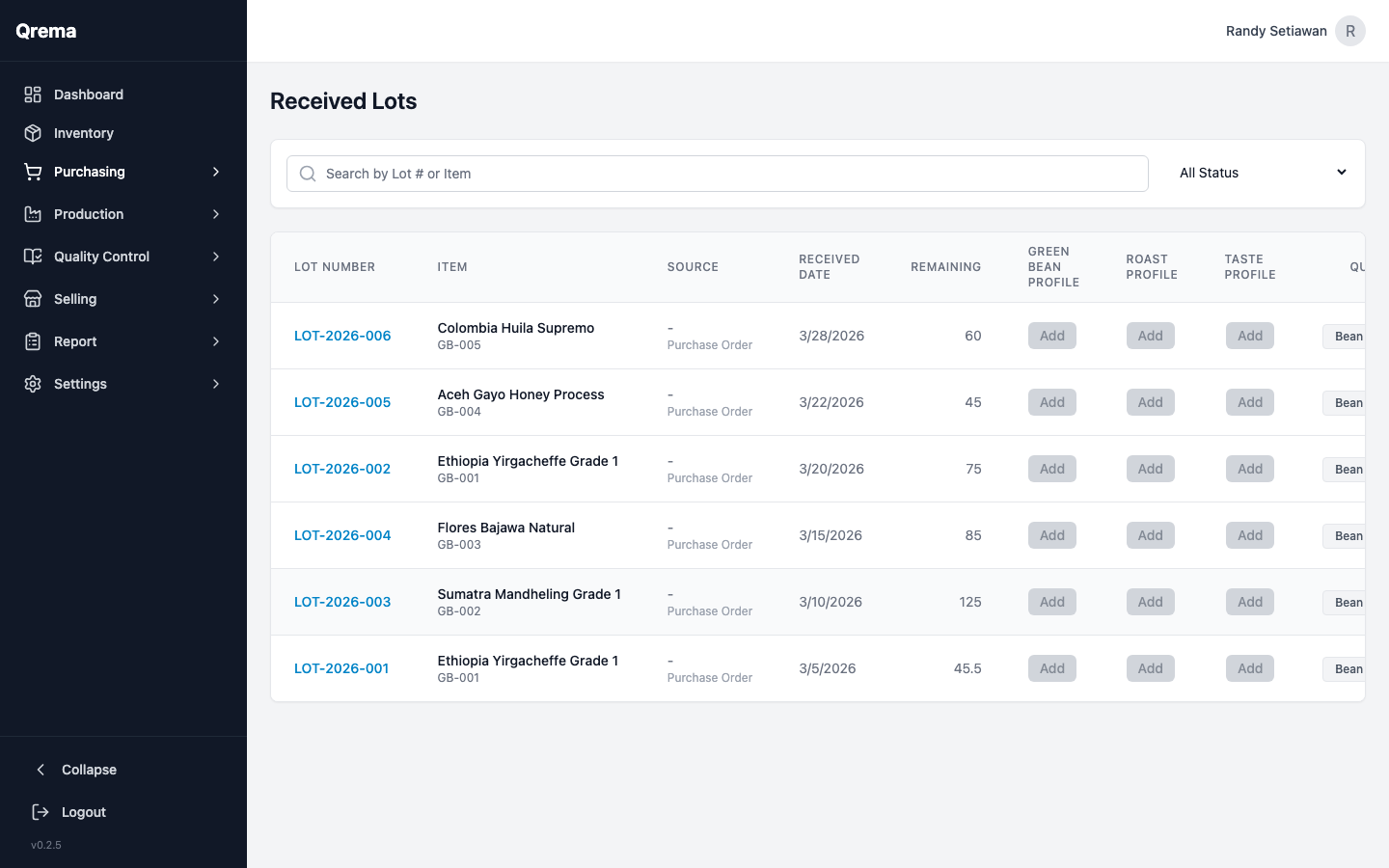
Lot Details
| Field | Description |
|---|---|
| Lot Number | Unique identifier for the lot |
| Green Bean | The type of green bean received |
| Supplier | Which supplier provided this lot |
| Quantity | Amount received (kg) |
| Received Date | When the lot was received |
| Origin | Country/region of origin |
| Process | Processing method (Washed, Natural, Honey, etc.) |
Click any lot to view its full detail, including linked purchase order, cupping scores, and usage history.
Sample List
Manage pre-purchase samples -- small quantities of green beans sent by suppliers for evaluation before committing to a full purchase order.
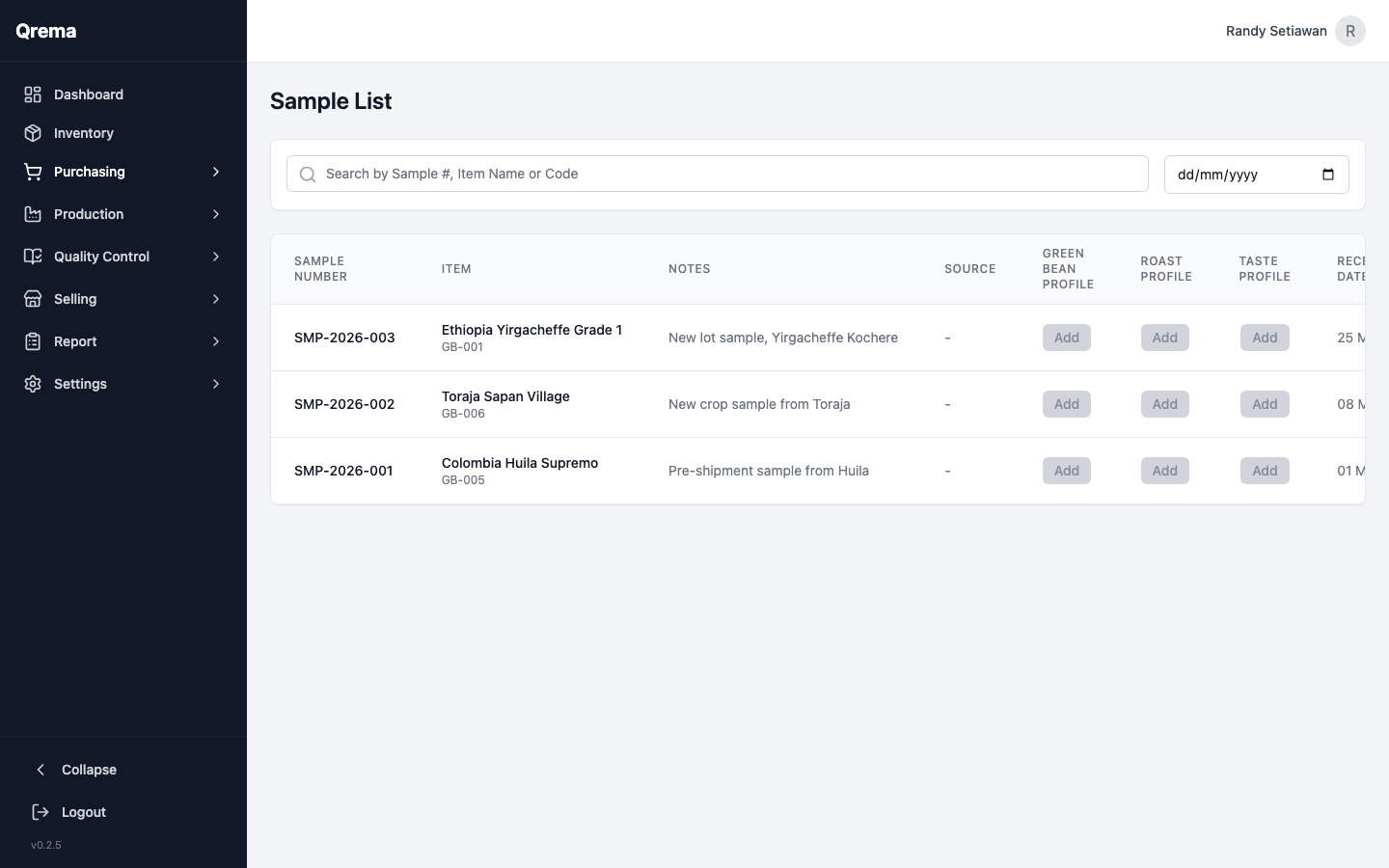
Sample Workflow
Approved samples can then be converted into full purchase orders.
Video Walkthrough
Purchasing workflow -- from purchase order to lot tracking